Zanta User Guide
Your complete guide to creating magical, personalized stories for your children.
1. Introduction
Zanta is designed to foster a love for reading by making children the heroes of their own stories.
Key Features:
- AI-Powered Story Generation: Create unique stories featuring your child's name and interests.
- Native Language Support: Stories available in Tigrinya, Amharic, Oromo, and more.
- Rich Illustrations: Beautiful, AI-generated images to accompany the text.
- Audio Narration: Listen to stories read aloud.
- Safe Environment: A dedicated, simplified interface for children.
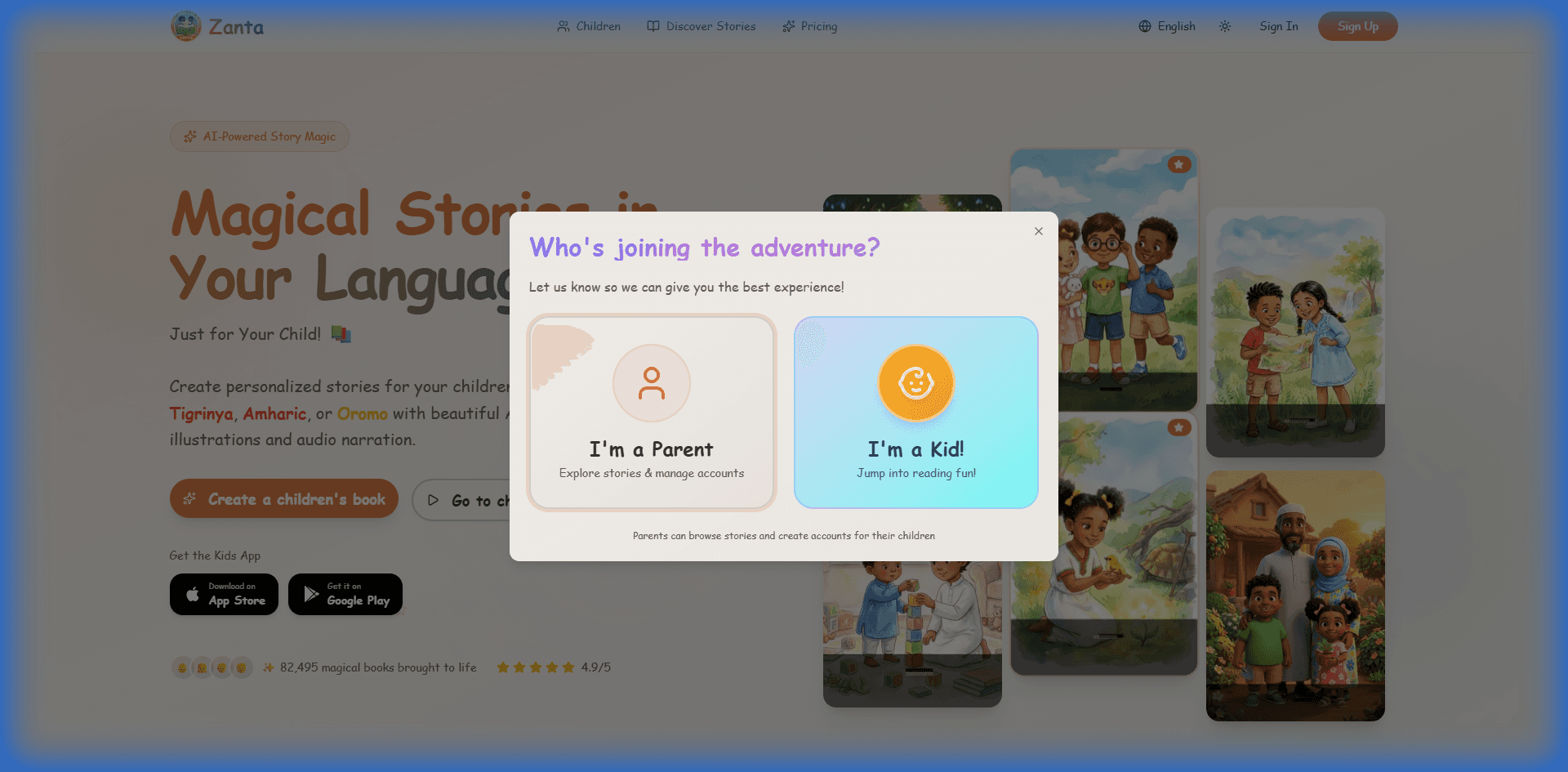
2. Getting Started
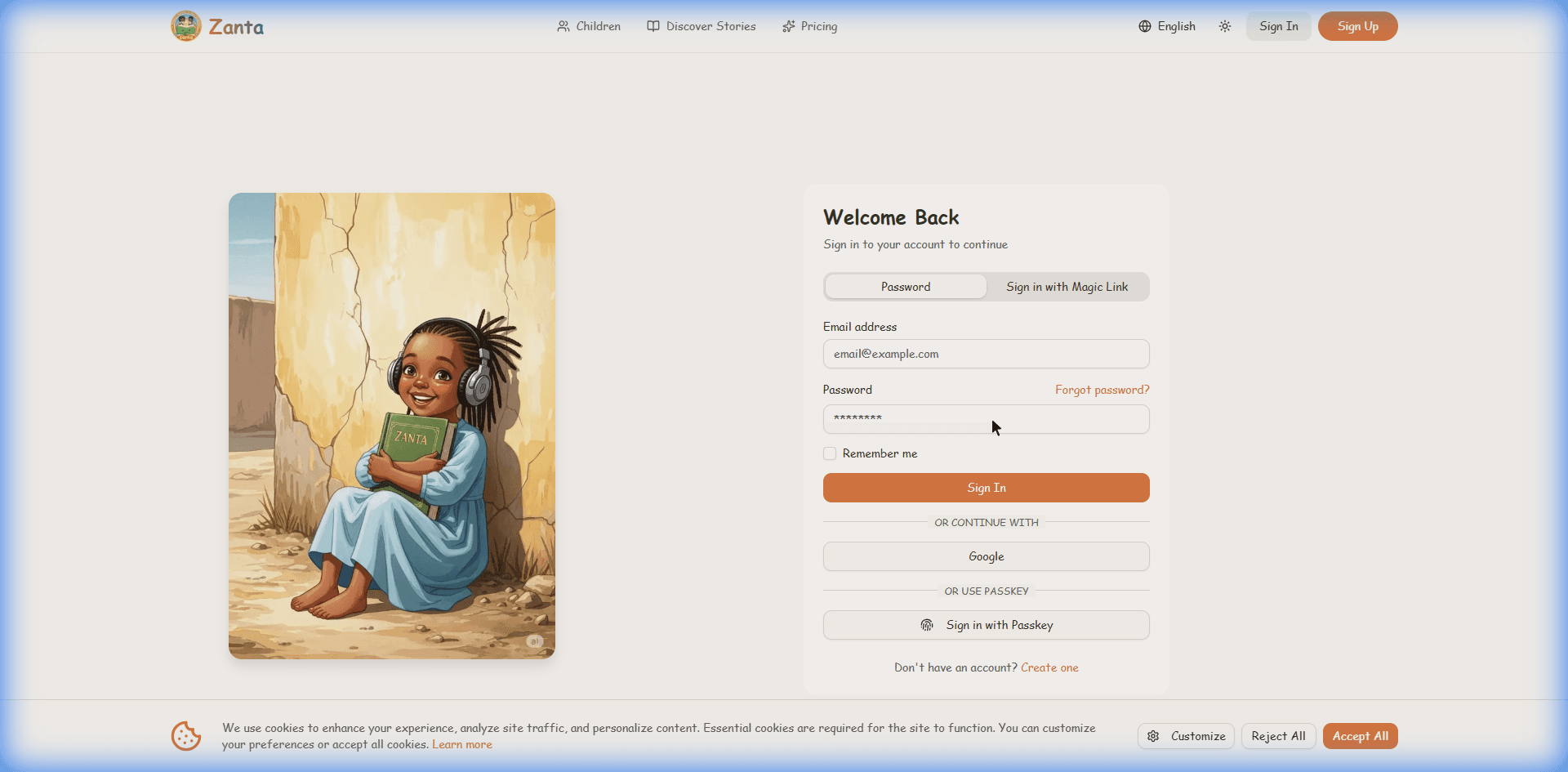
Sign Up & Login
- Navigate to the Zanta homepage.
- Click on "Get Started" or "Sign Up".
- Sign up using Google, GitHub, or email/password.
- Once logged in, you will be directed to your Parent Dashboard.
3. The Parent Dashboard
The Dashboard is your command center. From here, you can manage everything related to your account and your children's reading journey.
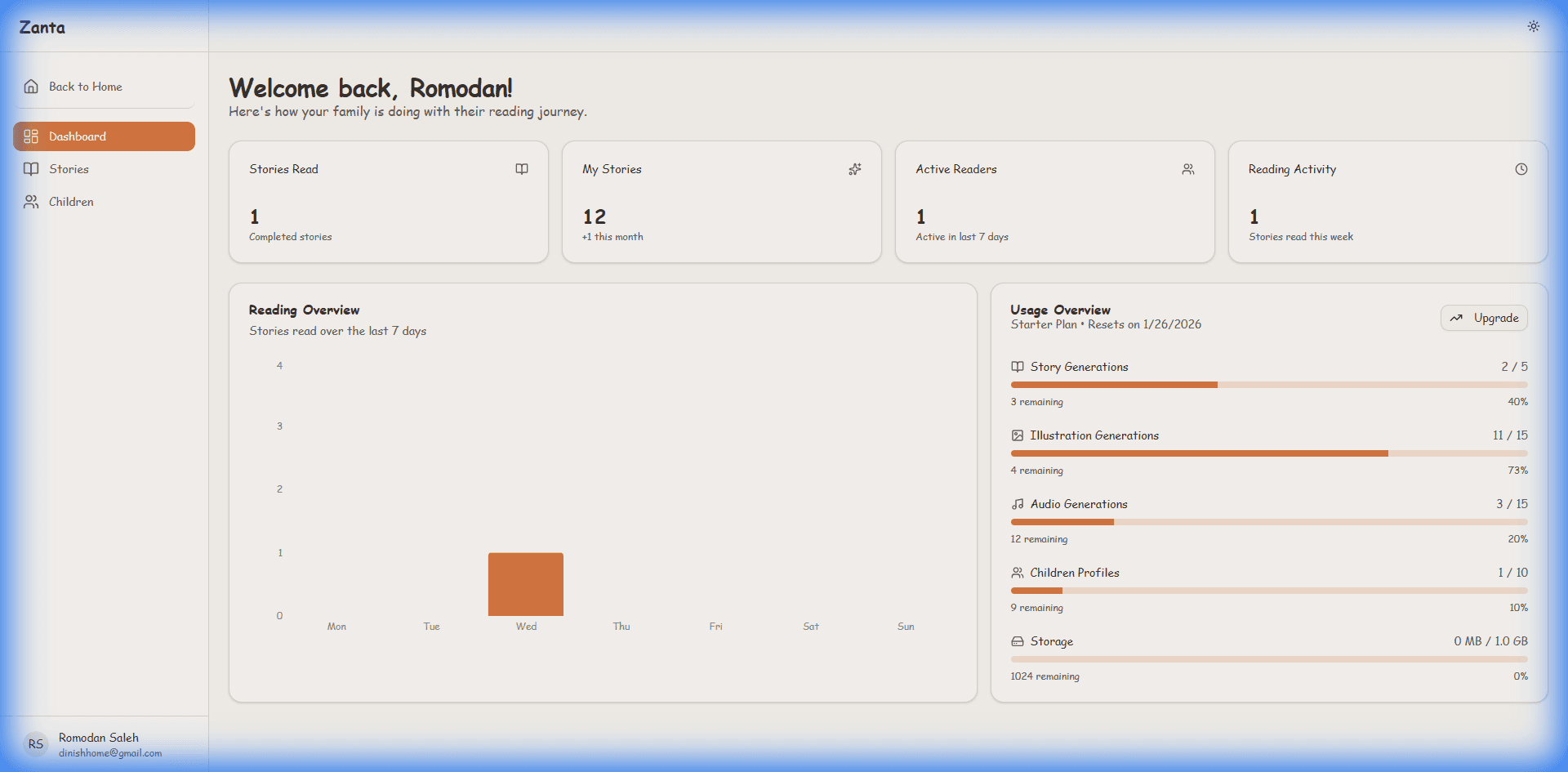
Dashboard
Overview of activity
Children
Manage profiles
My Stories
Create & view stories
4. Managing Child Profiles
Before creating stories, you should add your children to the platform. This allows you to assign stories specifically to them.
Adding a Child:
- Click on Children in the sidebar menu.
- Click the "Add Child" button.
- Enter the child's details:
- Name: Used in the interface.
- Age/Grade: Helps tailor content (if applicable).
- Avatar: Choose a fun picture for their profile.
- Save the profile.
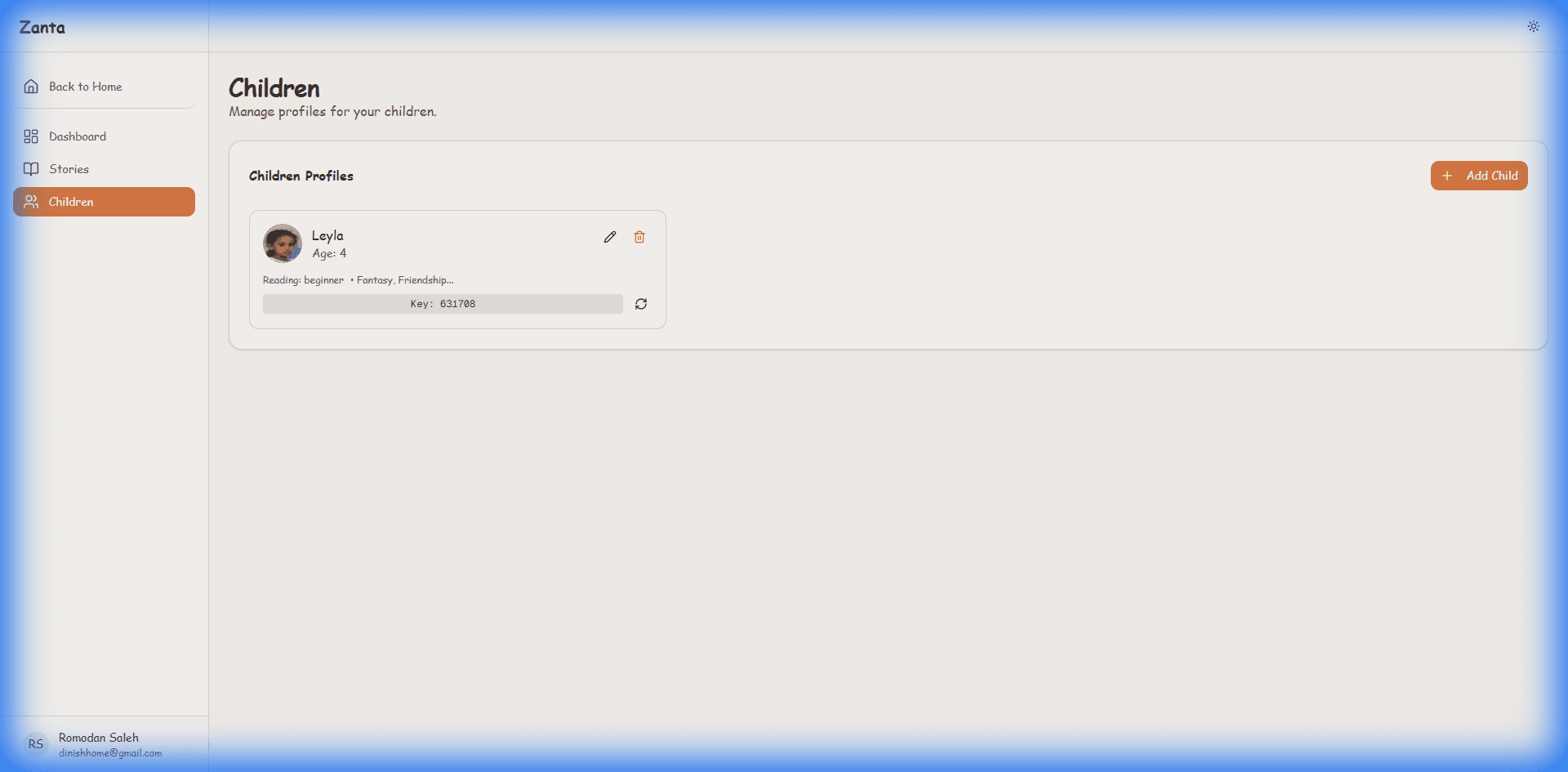
Managing Profiles
- You can edit a child's details or remove a profile from the Children page.
- Each child gets a unique access code or login method for Child Mode (see Section 7).
5. Creating Personalized Stories
The magic happens here! Use the Story Wizard to generate a custom book.
Step 1: Introduction
Click "Create Story" to start the wizard.
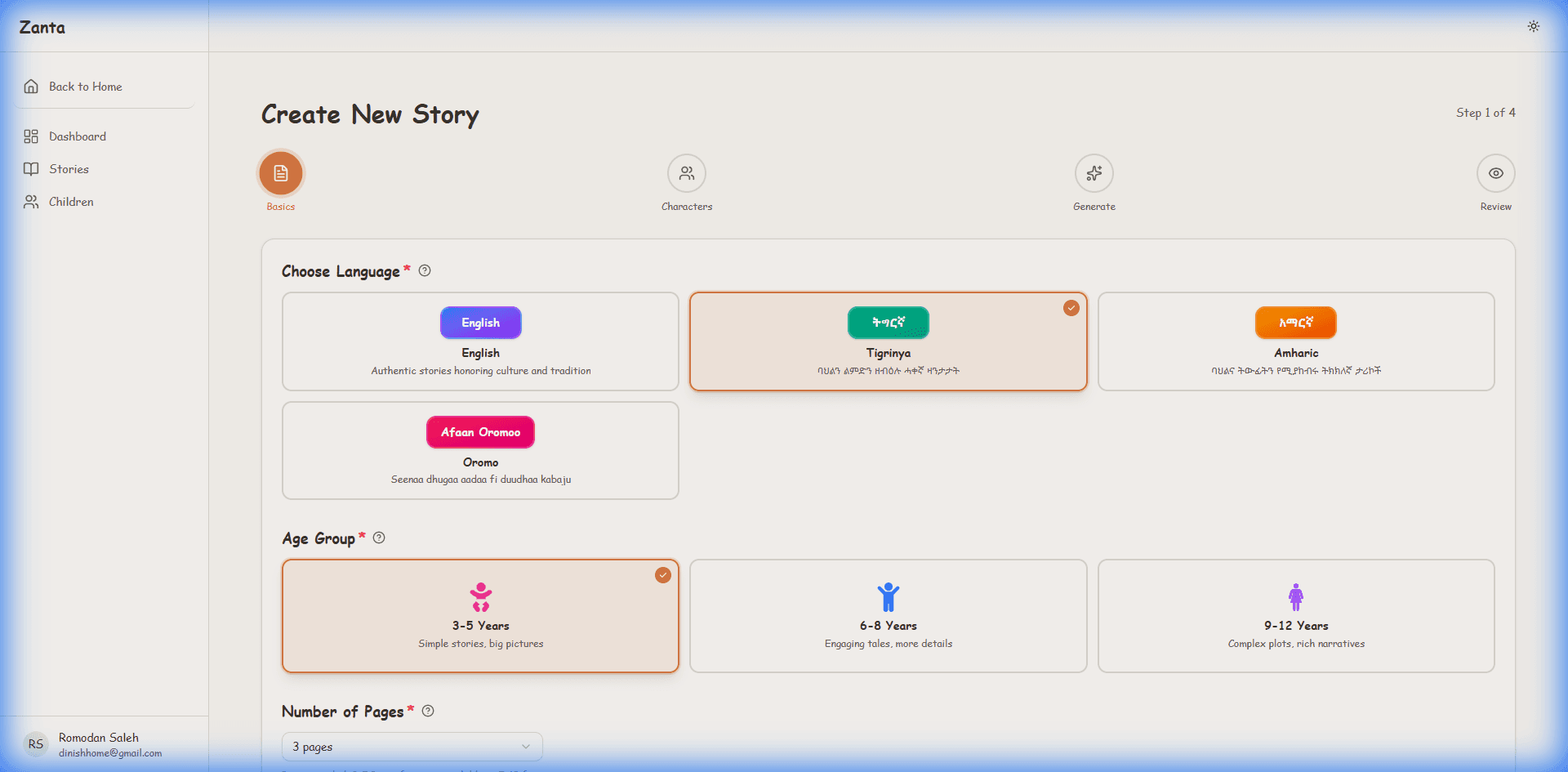
Step 2: Basics
Configure the foundation of your story:
- Language: Select the language (e.g., Tigrinya, Amharic)
- Age Group: Determines content complexity
- Number of Pages: Choose between 3 to 10 pages
- Theme: Choose a genre (Adventure, Educational, etc.)
- Core Message: Select a moral lesson (e.g., Kindness, Courage)
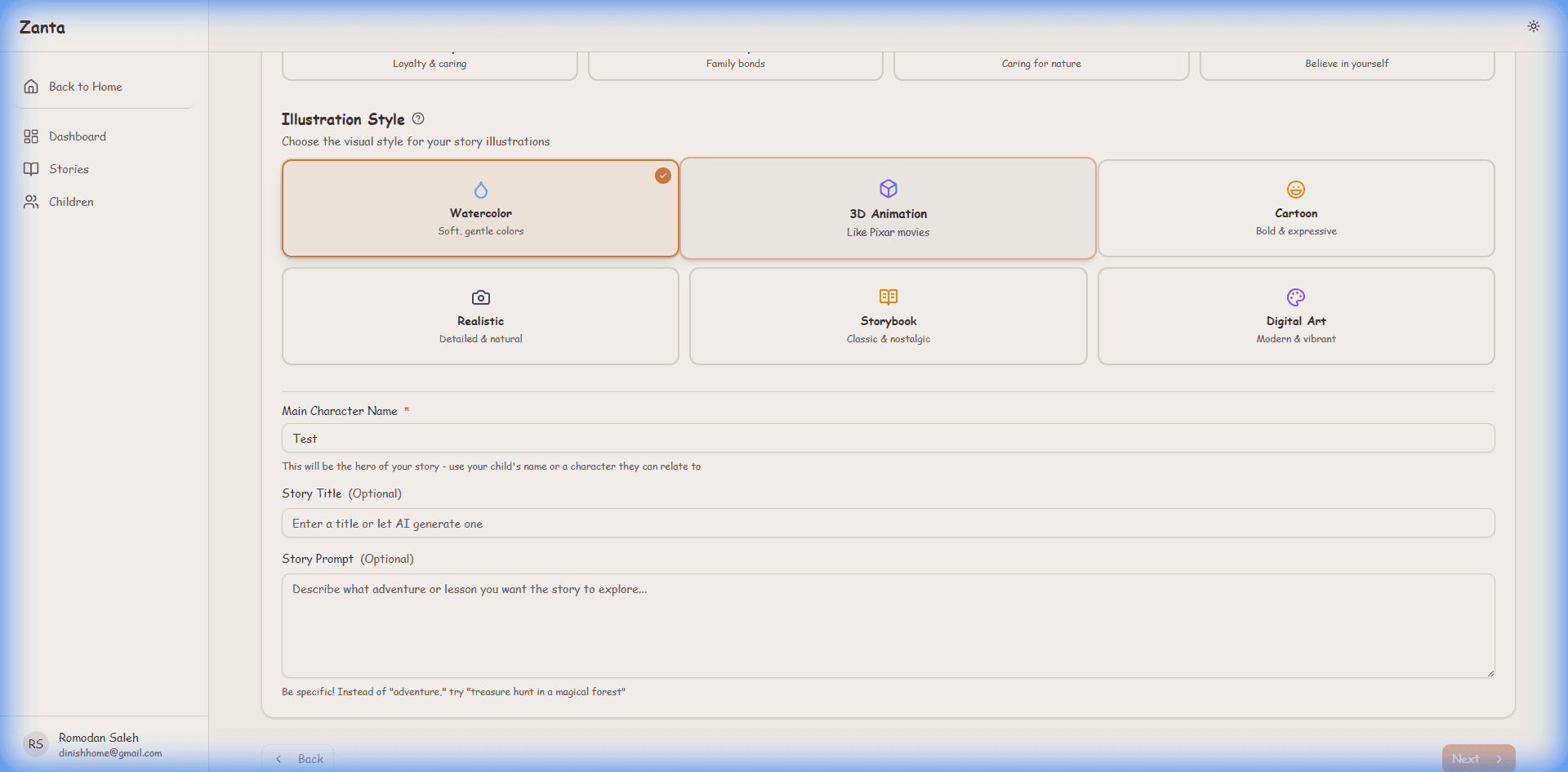
- Illustration Style: Choose an art style (Cartoon, Watercolor, 3D, etc.)
- Main Character Name: Enter your child's name! They will be the hero.
Step 3: Characters
Add up to 5 Supporting Characters (friends, family, pets). You can define their Role, Personality, and even upload a Reference Image.
Step 4: Review & Generate
Review all your settings and click "Generate Story" to create the story text.
Note: This generates the chapters and text first. It may take a minute.
Step 5: Review Draft
Read through the generated chapters. You can edit the text titles and content if needed. Click Save Story to finalize the text and proceed to media generation.
Step 6: Media Magic
After saving, you are taken to the Media page:
- Illustrations: Generate images for each chapter based on your prompts
- Audio: Generate audio narration for each chapter
- Cover Image: Don't forget to generate a cover image!
6. The Library & Reading Experience
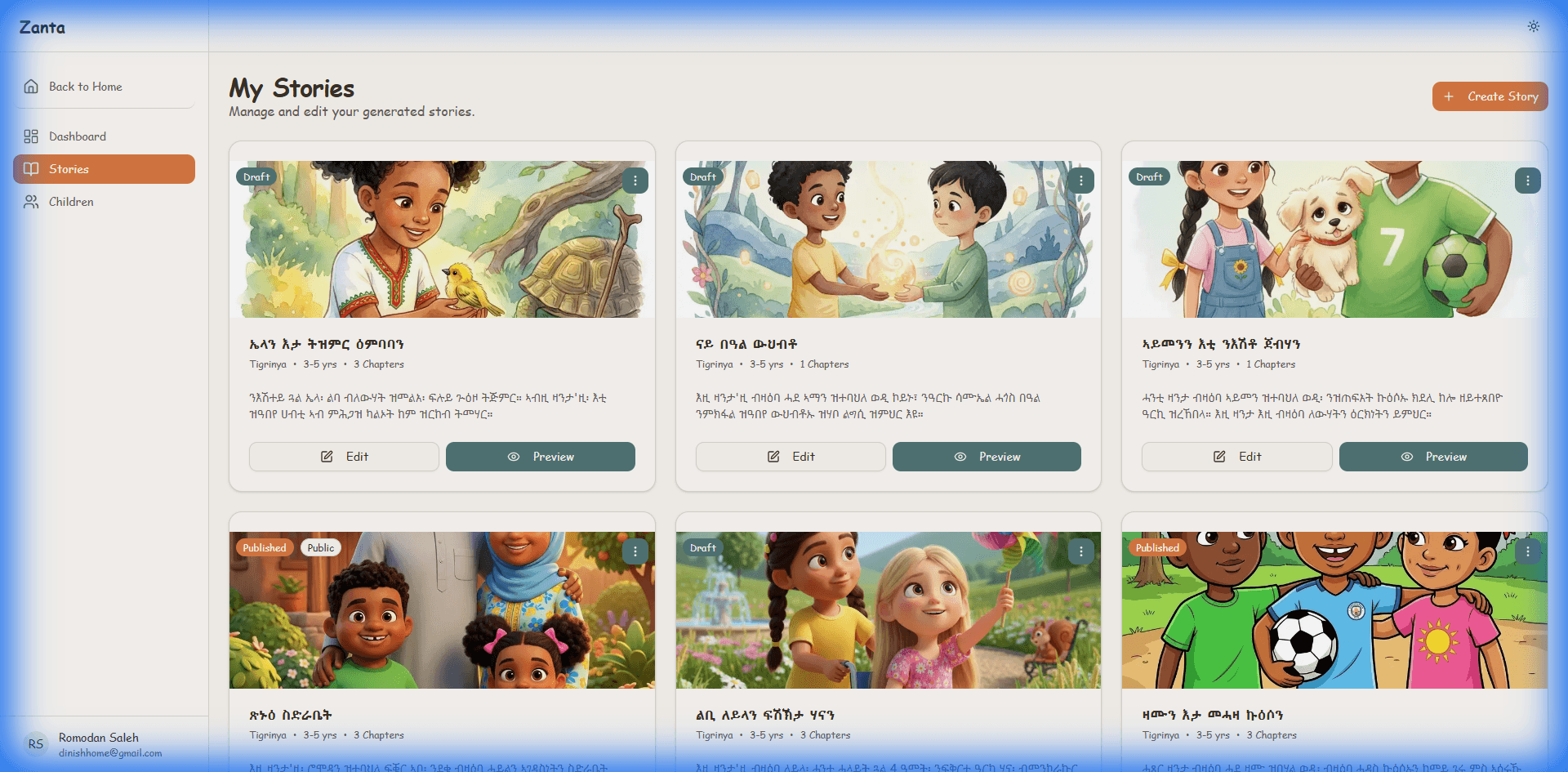
Once a story is generated, it appears in your My Stories list.
Assigning to a Child
- To let a child read a story, you must assign it to them.
- Find the story in your list, click the options menu (three dots), and select "Assign to Child".
- Choose which child's library it belongs to.
The Reader
Click on any story to open the Reader.
Feature Highlights:
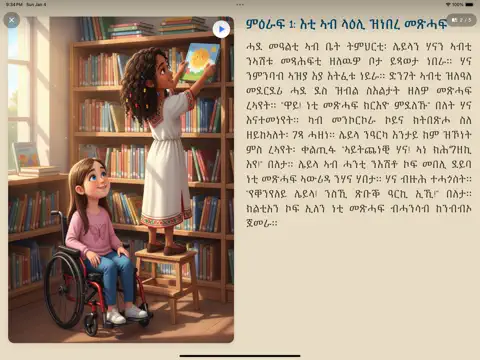
- Flipbook Mode: Simulate a real book experience. Click or drag corners to turn pages.
- Audio Narration: Click the Speaker icon to hear the story read aloud.
- View Modes: Toggle between single-page (Portrait) and two-page (Landscape) views.
7. Child Mode
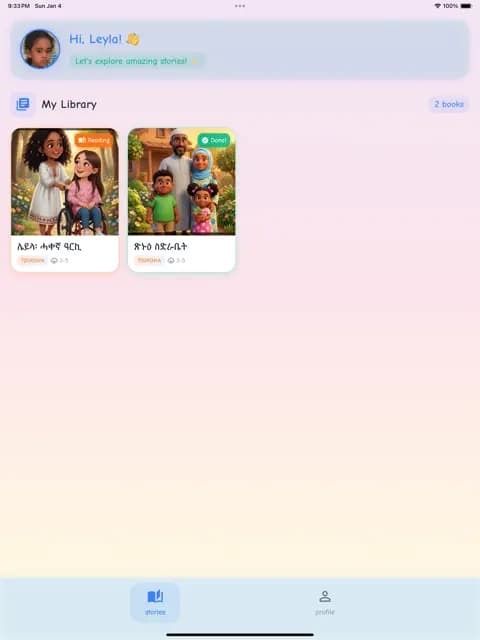
Zanta offers a safe, focused environment for kids, separate from the parent dashboard. This mode is available on both the web version and the dedicated mobile apps.
Accessing Child Mode
On the Web:
- Navigate to /child/login.
- Select the child's profile.
- Enter the Passkey (found in your Parent Dashboard under Children).
On Mobile Apps:
For the best experience, download our dedicated apps:
- Download: Tap the buttons above or search for "Zanta" on Google Play or "Zanta Kids" on the App Store.
- Login:
- Open the app.
- Enter the child's Passkey (found in your Parent Dashboard under Children).
- Start reading immediately!
Important Note: The mobile apps are designed exclusively for reading assigned stories. You must use the web dashboard to create stories and manage settings.
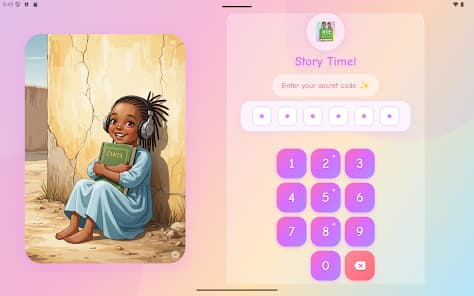
Simple Login with Codes
Features
- My Library: The child sees only the stories assigned to them.
- Easy Interface: Big buttons and simple navigation.
- Read & Listen: Full access to the Flipbook reader and audio features.
- No Settings: Children cannot change account settings or make purchases.
8. Subscription & Billing
Zanta offers different tiers to suit your needs.
Plans
Free
Perfect for trying out Zanta
- • Limited story generations per month
- • Standard storage
Pro
For avid young readers
- • More story generations
- • Priority generation speed
- • All languages unlocked
Premium
The ultimate experience
- • Unlimited stories
- • Highest quality audio and illustrations
Managing Subscription
- Go to Billing in the dashboard.
- View your current usage and limits.
- Click "Upgrade Plan" to change tiers.
- You can also update payment methods or cancel your subscription here via the secure billing portal.
9. Support & Troubleshooting
Common Issues
- Story Generation Failed: Sometimes the AI gets stuck. Try refreshing the page, or check if you have reached your plan limits.
- Audio Not Playing: Check your device volume. Ensure your browser allows auto-play audio.
- "Missing Required Headers" Error: This is a technical issue. Please report it to support if it persists.
Need more help?
Contact SupportIf you need help, please reach out to our support team via the email provided on the website footer.